Crawl Budget: What It Is and Why It Matters for SEO
AI Summary
What is crawl budget? Crawl budget is the number of pages Googlebot will crawl on your site within a given time period. It is determined by two factors: crawl rate limit, which is how fast Google can crawl without overloading your server, and crawl demand, which is how much Google wants to crawl based on the perceived value of your content. The two factors combine to produce the total crawl activity your site receives.
What it is and who it is for: This article is for site owners and SEO practitioners who want to understand how Google decides which pages to crawl, how often, and in what order. It is most relevant for sites with more than a few hundred pages, sites with slow server response times, and sites where new content takes weeks to get indexed. For small sites with fast hosting, crawl budget is rarely a practical constraint.
The rule: Crawl budget matters when it is the constraint. If your site has 50 pages and fast hosting, crawl budget is effectively unlimited and optimizing it produces no measurable benefit. If your site has 10,000 pages and new content sits in the discovery queue for weeks, crawl budget is the bottleneck and every optimization that reduces waste or increases demand directly accelerates indexing.
What Crawl Budget Actually Is
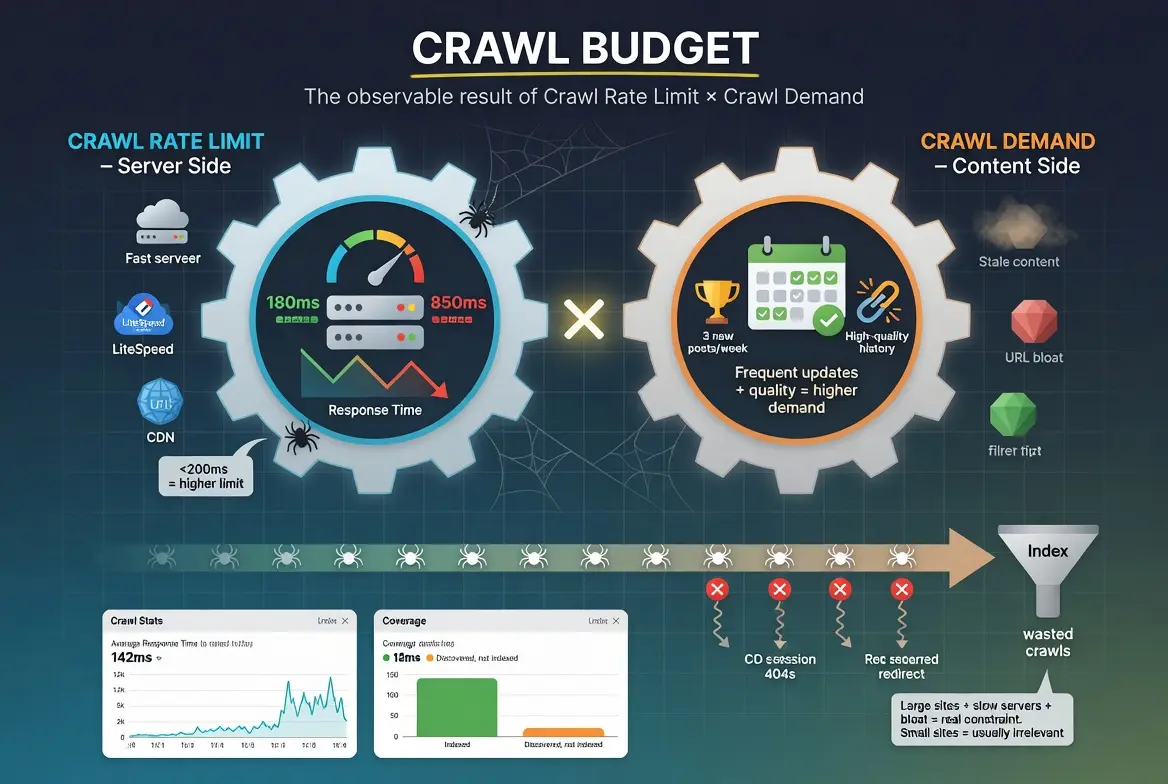
Crawl budget is a concept Google has confirmed exists but never quantified publicly. There is no number in Search Console that says “your crawl budget is 500 pages per day.” Instead, crawl budget is the observable outcome of two factors that Google has documented: crawl rate limit and crawl demand.
Crawl rate limit is the maximum crawling speed Google will use on your site without degrading the user experience. If your server responds quickly and handles concurrent requests well, Google sets a higher crawl rate limit. If your server slows down under load, Google throttles its crawl rate to avoid making the site slower for real users. The crawl rate limit is a ceiling, not a target. Google may crawl well below the limit if crawl demand is low.
Crawl demand is how much Google wants to crawl your site based on the perceived value of what it expects to find. Sites with frequently updated, high-quality content generate higher crawl demand because Google expects each crawl to discover something worth indexing. Sites with stale content that rarely changes generate lower crawl demand because Google learns that most crawls produce nothing new.
The two factors multiply. A site with a high crawl rate limit (fast server) and high crawl demand (frequently updated, valuable content) gets crawled aggressively. A site with a low crawl rate limit (slow server) and low crawl demand (stale content) gets crawled minimally. Most sites fall somewhere between these extremes, and the practical impact of crawl budget depends on whether the resulting crawl activity is sufficient to keep all important pages indexed and current.
When Crawl Budget Actually Matters
The SEO industry talks about crawl budget far more than most sites need to worry about it. For the majority of websites, crawl budget is not a constraint. Google has stated this directly. If your site has fewer than a few thousand pages and you are not generating new URLs at an extraordinary rate, crawl budget is unlikely to be an issue.
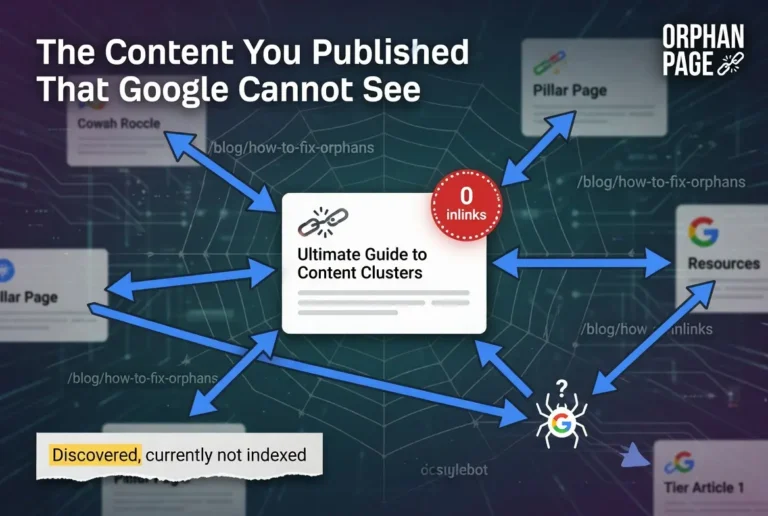
Crawl budget becomes a real constraint in specific situations. Large sites with tens of thousands of pages or more, where the total number of URLs exceeds what Google can crawl within a reasonable timeframe. Sites with slow servers that force Google to throttle its crawl rate, reducing the number of pages crawled per session. Sites with heavy URL bloat from faceted navigation, parameter-based filtering, or auto-generated pages that multiply the URL count without adding indexable content. Sites where new content consistently sits in “Discovered, currently not indexed” for weeks or months, which may indicate that crawl demand is not high enough to prioritize the new URLs.
For a site with 50 pages and a $30/month managed host, crawl budget optimization is irrelevant. Google will crawl every page on the site within days. The time spent optimizing crawl budget would be better spent on content quality, internal linking, or backlink development. Knowing when crawl budget does not matter is as important as knowing how to optimize it when it does.
Crawl Rate Limit: The Server Side
The crawl rate limit is entirely determined by your server’s performance. Google measures how quickly your server responds to crawl requests and how many concurrent requests it can handle without degrading. Based on these measurements, Google sets a maximum crawl rate that it will not exceed.
You can see your crawl rate data in Search Console under Settings > Crawl Stats. The report shows the number of crawl requests per day, the average response time, and the download size per request. The response time graph is the most diagnostic element. Consistent response times under 200 milliseconds indicate a server that can handle aggressive crawling. Response times above 500 milliseconds indicate a server that Google is likely throttling. Response times above 1,000 milliseconds indicate a server that is actively constraining your crawl budget.
The fixes for crawl rate limit problems are hosting infrastructure improvements. Moving from shared hosting to managed hosting or a VPS typically produces the most dramatic improvement. Server-side caching through LiteSpeed Cache or similar reduces response times by serving cached pages instead of regenerating them on every request. Database optimization reduces the time each page takes to generate. CDN implementation reduces the time static resources take to deliver. Each improvement pushes the response time lower, which allows Google to raise the crawl rate limit.
One detail that matters operationally: Google adjusts the crawl rate limit dynamically based on recent server performance. A server that was fast last week but is slow today due to a traffic spike or a plugin update will see its crawl rate throttled within hours. The adjustment works in both directions. Fixing a slow server produces a higher crawl rate limit within days, not weeks.
Crawl Demand: The Content Side
Crawl demand is Google’s assessment of how much value it expects to find when it crawls your site. High crawl demand means Google considers your content worth re-crawling frequently. Low crawl demand means Google considers your content unlikely to have changed since the last crawl.
The factors that increase crawl demand are publishing frequency, content quality history, and external signals. Sites that publish new content regularly teach Google to return frequently because each visit is likely to discover something new. Sites with a history of high-quality content that performs well in search results generate higher demand because Google’s systems have learned that the site produces indexable content. External signals like backlinks and brand mentions indicate that other sites consider the content worth referencing, which signals to Google that crawling more frequently is likely to surface valuable content.
The factors that decrease crawl demand are publishing inactivity, content quality problems, and URL bloat. Sites that stop publishing teach Google to visit less often because each visit confirms nothing has changed. Sites with a history of crawlability problems or thin content that fails the indexing quality threshold generate lower demand because Google’s systems have learned that crawling the site produces content that does not merit indexing. URL bloat from parameter-based pages, session IDs, or auto-generated variations dilutes crawl demand across URLs that produce no unique content.
The practical implication is that crawl demand is partially within the operator’s control. Publishing valuable content consistently increases demand. Fixing crawlability problems that cause crawled pages to fail indexing increases demand. Reducing URL bloat that wastes crawl activity on non-indexable pages increases the effective demand on pages that matter. The operator cannot set a crawl demand number directly, but the operator’s actions determine the inputs Google uses to calculate it.
Where Crawl Budget Gets Wasted
Crawl budget waste occurs when Googlebot spends crawl resources on URLs that will never produce indexable content. Every wasted crawl is a crawl that could have been spent on a page that matters. On sites where crawl budget is a constraint, reducing waste is the fastest path to improving crawl coverage on important pages.
Faceted Navigation and Filters
E-commerce sites with product filters generate thousands of URL variations from a single product listing page. Color, size, price range, brand, and sorting options create parameter-based URLs that each look like a unique page to the crawler but contain largely duplicate content. A site with 1,000 products and 10 filter combinations generates 10,000 URLs from content that could be served from 1,000 pages. The 9,000 duplicate URLs consume crawl budget without producing unique indexable content.
Session IDs and Tracking Parameters
URLs that contain session identifiers or tracking parameters create infinite URL variations of the same page. Each visitor session generates a new URL. Each marketing campaign parameter generates a new URL. The content is identical across all variations, but the crawler treats each unique URL as a potentially unique page. Proper canonical tag implementation and parameter handling in Search Console prevent this waste.
Internal Search Result Pages
Sites with internal search functionality generate a URL for every search query submitted. These URLs are often crawlable and produce thin, auto-generated content that fails the indexing quality threshold. Blocking internal search result URLs through robots.txt prevents the crawler from wasting budget on pages that will never rank.
Soft 404 Pages
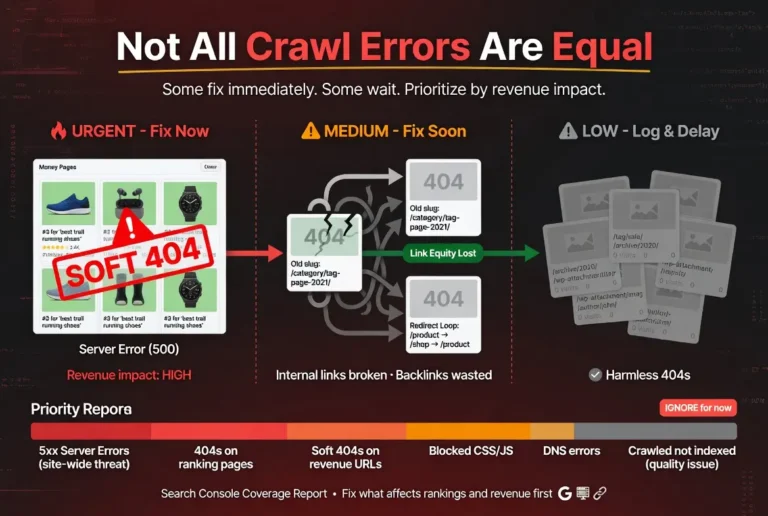
Pages that return a 200 status code but contain no useful content waste crawl budget twice. The initial crawl fetches the page. Google then has to evaluate the content, determine it is a soft 404, and discard it. Fixing soft 404s by either adding real content or returning a proper 404 status code eliminates the wasted evaluation step.
Redirect Chains
Every hop in a redirect chain consumes a crawl request. A chain of five redirects uses five crawl requests to reach one page. Collapsing chains into single-hop redirects recovers the wasted requests and delivers the crawler to the destination faster.
How to Optimize Crawl Budget
Crawl budget optimization is the practice of ensuring that the crawl activity your site receives is directed at the pages that matter most. The optimization works on both sides of the equation: increasing the total budget through server improvements and reducing waste through URL management.
Improve Server Response Time
The single most impactful crawl budget optimization for most sites. Faster server response increases the crawl rate limit, which increases total crawl capacity. Target consistent response times under 200 milliseconds. The investment in better hosting pays for itself across every other SEO activity because it accelerates the entire crawl-to-index-to-rank pipeline.
Clean Up the Sitemap
The XML sitemap should contain only URLs you want indexed. Remove URLs that return errors, redirects, or noindex tags. Remove URLs for thin or duplicate content that will not pass the indexing quality threshold. A clean sitemap communicates your priorities to Google. A bloated sitemap dilutes those priorities across URLs that waste crawl attention.
Block Non-Indexable URL Patterns
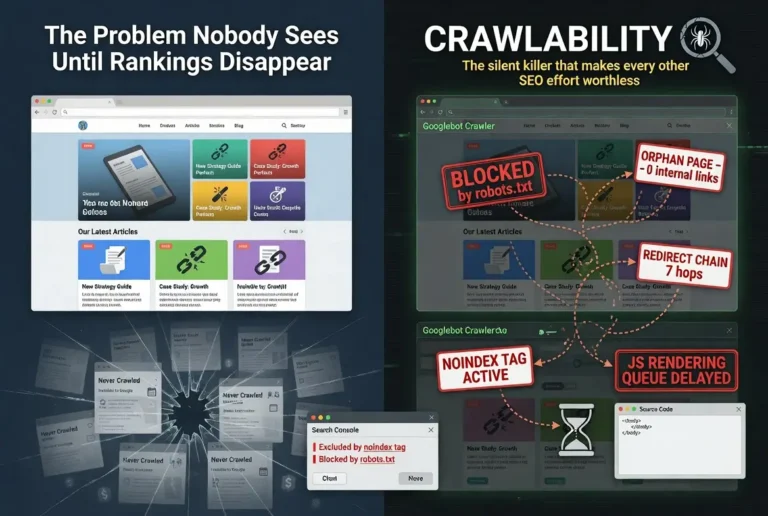
Use robots.txt to block URL patterns that generate crawlable but non-indexable content: faceted navigation parameters, internal search results, session-based URLs, and auto-generated pages that produce no unique content. Blocking these patterns through robots.txt prevents the crawler from discovering and fetching URLs that will never produce rankings.
Strengthen Internal Linking
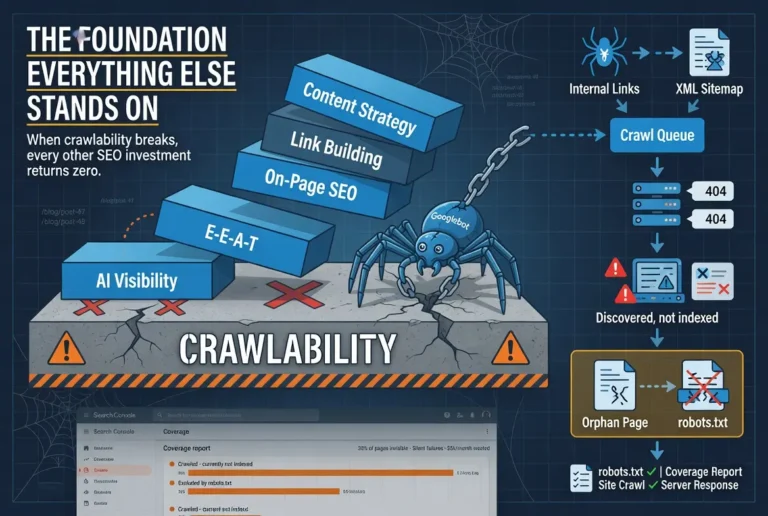
Internal links are the primary mechanism Googlebot uses to discover and navigate your site. A strong internal linking architecture directs the crawler to important pages efficiently. Pages with more inbound internal links get crawled more frequently. Pages with zero inbound links become orphan pages that the crawler may never reach. The internal linking structure is a crawl priority signal that operators control directly.
Publish Consistently
Regular publishing increases crawl demand because Google learns to expect new content at predictable intervals. A site that publishes three articles per week trains Google to return multiple times per week. A site that publishes once per month trains Google to check monthly. The publishing cadence directly influences how frequently the crawler visits, which determines how quickly new and updated content enters the index.
Monitoring Crawl Budget in Search Console
Google Search Console provides the data needed to monitor crawl budget through two reports: Crawl Stats and Coverage.
The Crawl Stats report (Settings > Crawl Stats) shows total crawl requests per day, average response time per request, and total download size. The crawl requests trend shows whether Google is crawling more or fewer pages over time. A declining trend on a site that is actively publishing new content suggests either server performance degradation or declining crawl demand. An increasing trend on a site with improving server performance confirms that the infrastructure improvements are translating to more crawl activity.
The Coverage report shows the outcome of crawl activity: how many pages are indexed, how many are excluded, and why. The “Discovered, currently not indexed” status is the most relevant metric for crawl budget assessment. A growing count of discovered-but-not-indexed pages suggests that Google is finding URLs faster than it is processing them, which can indicate insufficient crawl budget to cover the site’s URL inventory. A stable or declining count suggests that crawl budget is sufficient to keep up with discovery.
The two reports together tell the complete story. Crawl Stats shows the input: how much crawling is happening. Coverage shows the output: what the crawling produces. When the input is high and the output is healthy, crawl budget is not a constraint. When the input is low or the output shows growing backlogs, crawl budget optimization becomes a priority.
FAQ
What is crawl budget in SEO?
Crawl budget is the number of pages Googlebot will crawl on your site within a given time period. It is determined by two factors: crawl rate limit (how fast Google can crawl without overloading your server) and crawl demand (how much Google wants to crawl based on the perceived value of your content). The two factors combine to produce the total crawl activity your site receives.
Does crawl budget matter for small websites?
For most small websites with fewer than a few thousand pages and decent hosting, crawl budget is not a practical constraint. Google has stated this directly. The crawl budget discussion is most relevant for large sites with tens of thousands of pages, sites with slow servers, and sites where new content consistently takes weeks to get indexed.
How do I check my crawl budget in Google Search Console?
Navigate to Settings > Crawl Stats in Search Console. The report shows total crawl requests per day, average server response time, and total download size. The Coverage report shows how many pages are indexed versus discovered but not yet indexed. Together these reports show how much crawling is happening and what it produces.
How do I increase my crawl budget?
Improve server response time to raise the crawl rate limit. Publish quality content consistently to increase crawl demand. Clean up the XML sitemap to remove non-indexable URLs. Block non-indexable URL patterns through robots.txt. Strengthen internal linking to direct the crawler to important pages. Reduce crawl waste by fixing redirect chains, soft 404s, and duplicate content.
What wastes crawl budget?
Faceted navigation that generates thousands of duplicate URL variations, session IDs and tracking parameters that create infinite URL copies, internal search result pages with auto-generated thin content, soft 404 pages that return 200 status codes with no useful content, and redirect chains that consume multiple crawl requests to reach a single destination. Each of these patterns consumes crawl resources on URLs that will never produce rankings.
How often does Google crawl a website?
Crawl frequency varies by site based on server capacity, content freshness, and perceived content value. Sites with fast servers that publish quality content frequently may be crawled multiple times per day. Sites with slow servers and stale content may be crawled weekly or less. Publishing consistently and maintaining fast server response times are the most effective ways to increase crawl frequency.