Crawl Errors: What They Mean and How to Fix Them
AI Summary
What are crawl errors? Crawl errors are failures that occur when Googlebot attempts to access a page on your site and cannot retrieve it successfully. They include server errors (5xx), page not found errors (404), redirect errors, soft 404s, blocked resources, and DNS failures. Each error type has a different cause, a different impact on rankings, and a different fix. Google reports them in Search Console’s coverage report.
What it is and who it is for: This article is for site owners and SEO practitioners who see crawl errors in Search Console and need to understand which ones matter, which ones can be ignored, and how to fix the ones that are actively damaging search visibility. Not all crawl errors are equal. Some are cosmetic. Some are destroying rankings silently.
The rule: The trend matters more than the count. A site with ten crawl errors that have been stable for six months has a contained problem. A site with ten crawl errors that were five last month and two the month before has an accelerating problem. Monitor the trend. Fix the errors that are growing. Investigate the errors that affect pages with ranking value.
Not All Crawl Errors Are Equal
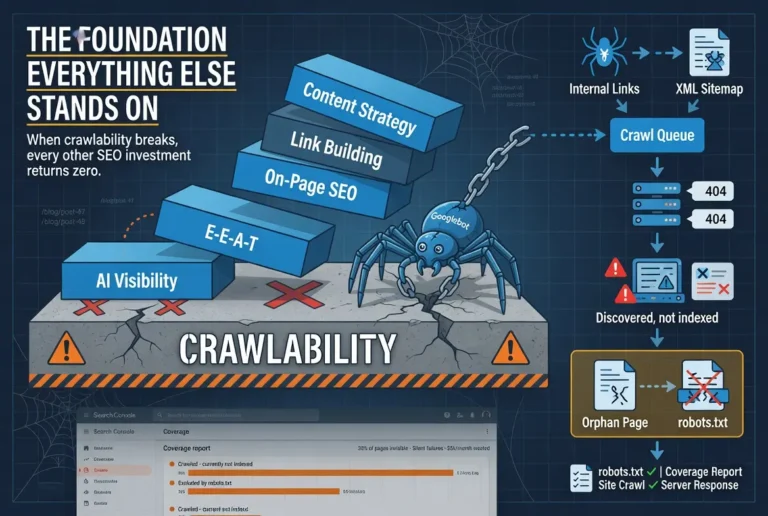
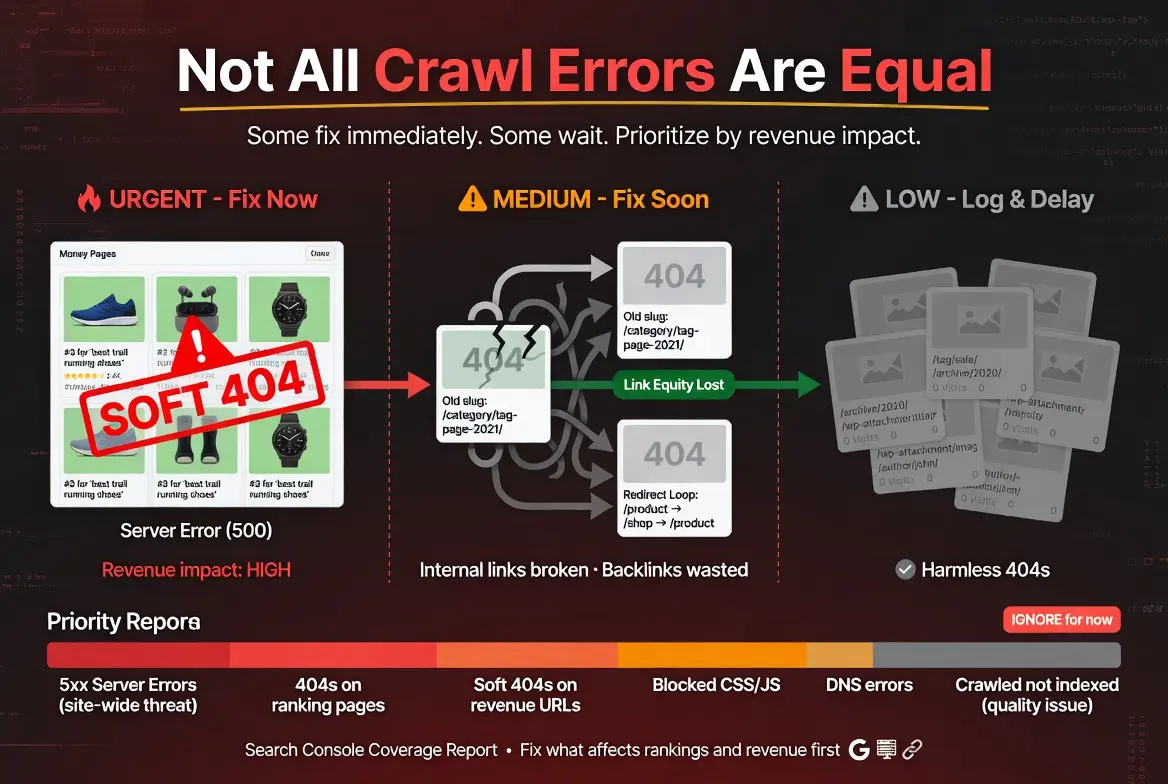
Search Console reports crawl errors in the coverage report, and the instinct when you see red numbers is to fix everything immediately. That instinct is wrong. Some crawl errors are cosmetic issues on pages that carry no ranking value. Some are active emergencies on pages that drive revenue. The difference between the two determines whether fixing the error is a priority or a cleanup task you get to when you have time.
The framework for prioritizing crawl errors is simple. Does the error affect a page that ranks for a keyword with commercial value? Fix it immediately. Does the error affect a page that other pages link to internally, meaning fixing it restores link equity flow? Fix it soon. Does the error affect a page that nobody visits, nobody links to, and nobody searches for? Log it, fix it when convenient, and do not let it distract you from the errors that actually affect revenue.
I have watched site owners spend entire weekends fixing 404 errors on tag pages, archive pages, and attachment URLs that generated zero traffic and zero backlinks. Meanwhile, three product pages that actually drove revenue had soft 404 issues that were silently removing them from the index. The 404s on junk pages were visible and alarming. The soft 404s on money pages were hidden and destructive. Prioritization is not about fixing everything. It is about fixing the right things first.
Server Errors (5xx)
A 5xx error means Googlebot requested the page and your server failed to deliver it. The server was overloaded, crashed, timed out, or returned an error before the page content was sent. The 500 (Internal Server Error) and 503 (Service Unavailable) codes are the most common variants.
Server errors are the most urgent crawl error category because they indicate infrastructure-level problems that can affect the entire site. A single page returning a 500 error might be a plugin conflict or a corrupted database entry. Multiple pages returning 500 errors simultaneously usually means the server is overloaded or misconfigured. A site-wide 503 response means the server is down entirely.
The impact on rankings depends on duration and frequency. A server error that lasts an hour during low-traffic time and resolves itself has minimal impact. Googlebot will retry the page on its next crawl and find it working. Server errors that persist for days or recur frequently signal to Google that the site is unreliable, which can reduce crawl frequency and eventually affect ranking positions for the affected pages.
The fix starts with the server logs, not Search Console. Search Console tells you the error occurred. The server logs tell you why. Common causes include PHP memory limit exceeded, database connection failures, plugin conflicts that crash on specific page types, and hosting plans that throttle resources during traffic spikes. The underlying cause determines the fix: increase memory limits, optimize the database, disable conflicting plugins, or upgrade hosting.
Page Not Found Errors (404)
A 404 error means Googlebot requested a URL and the server confirmed that no page exists at that address. The URL was either deleted, moved without a redirect, or never existed in the first place. Google is requesting it because something pointed to it: an internal link, an external backlink, a sitemap entry, or a previously crawled URL that has since been removed.
Not every 404 needs to be fixed. If the URL never had rankings, never had backlinks, and is not linked from any internal page, the 404 is harmless. Google will eventually stop requesting it. The 404s that need immediate attention are pages that had ranking value (they ranked for keywords or received organic traffic), pages that have inbound backlinks (the link equity is being wasted on a dead page), and pages that are linked from internal pages (the internal links are sending users and crawlers to a dead end).
The fix depends on the situation. If the content still exists at a different URL, redirect the old URL to the new one with a 301 redirect. If the content was intentionally removed and no replacement exists, leave the 404 in place. Google handles genuine 404s correctly. The error is not the problem. The problem is when a 404 exists where a live page should be.
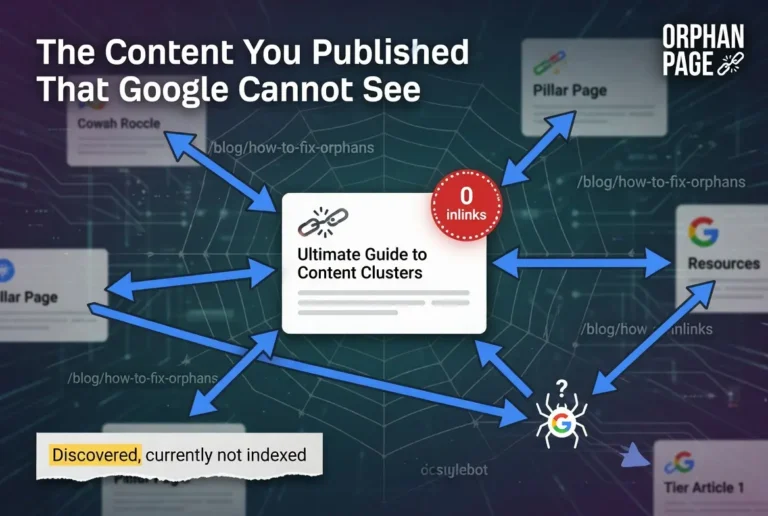
One pattern I see frequently: a site owner changes a URL slug in WordPress without setting up a redirect. The old URL returns a 404. Every internal link pointing to the old slug now sends crawlers and users to a dead page. The new URL is live but orphaned because nothing links to it. The slug change created two problems simultaneously: a 404 on the old URL and an orphan page on the new one.
Soft 404 Errors
A soft 404 is a page that returns a 200 (OK) status code but displays content that Google interprets as a “page not found” response. The server says the page exists. The content says it does not. Common causes include empty pages, pages with only a header and footer but no body content, thin pages that contain almost no useful information, and custom 404 templates that return a 200 status code instead of a proper 404.
Soft 404s are more dangerous than real 404s because they are harder to detect. A real 404 shows up clearly in Search Console and any crawl tool. A soft 404 requires Google to evaluate the page content and determine that it functions as a not-found page despite the server claiming otherwise. The detection is not instant. A page can serve as a soft 404 for weeks before Google identifies it and reports it in Search Console.
The fix is to either add real content to the page (if it should exist) or return a proper 404 status code (if it should not). For pages that were accidentally published empty, adding the intended content resolves both the soft 404 and the indexing failure. For pages that are genuinely gone, updating the server response to return a real 404 cleans up the signal and lets Google remove the URL from the index properly.
Redirect Errors
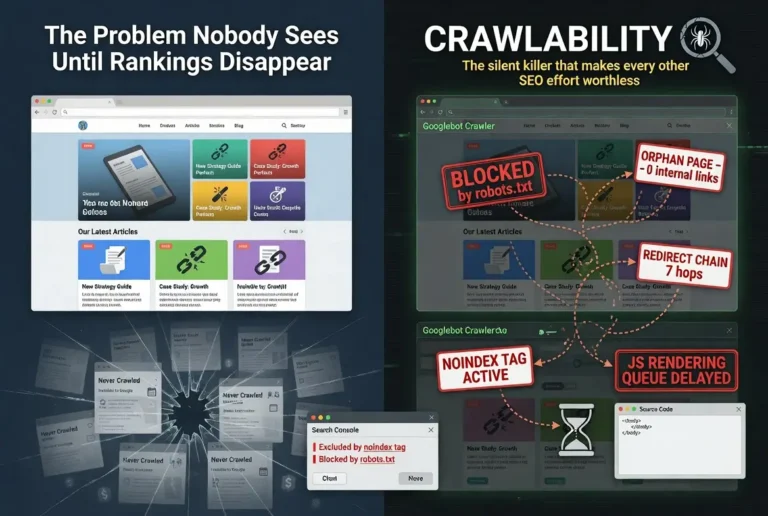
Redirect errors occur when Googlebot follows a redirect and encounters a problem. The most common redirect errors are redirect loops (URL A redirects to URL B, which redirects back to URL A), long redirect chains that exceed the maximum number of hops Googlebot will follow, redirects that point to URLs that themselves return errors, and redirect responses with missing or malformed location headers.
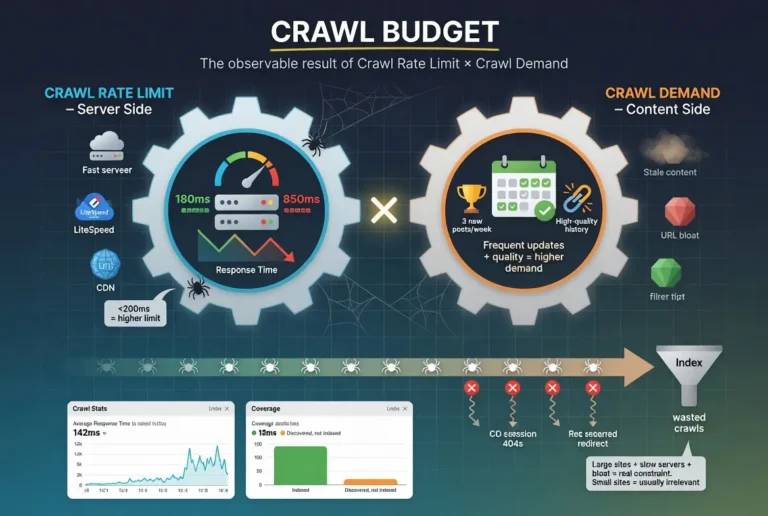
Redirect loops are the most destructive because they create an infinite cycle that the crawler cannot resolve. The page is effectively inaccessible. Every crawl attempt on the URL wastes crawl budget and produces no indexable content. The fix is to identify which redirect in the chain creates the loop and either remove it or point it to the correct final destination.
Long redirect chains waste crawl budget proportionally to the number of hops. Google follows redirects up to a limit (generally 5 to 10 hops) before giving up. Even within the limit, each hop costs efficiency. The fix is to collapse chains into single-hop 301 redirects from the original URL directly to the final destination.
Blocked Resources
Blocked resource errors occur when Googlebot can access the HTML of a page but cannot access resources the page needs to render correctly: CSS files, JavaScript files, images, or fonts blocked by robots.txt. When critical resources are blocked, Googlebot cannot render the page as users see it, which can lead to incorrect content evaluation and ranking decisions based on an incomplete version of the page.
The most common cause is a robots.txt file that blocks the /wp-content/ or /wp-includes/ directories on WordPress sites. These directories contain the CSS and JavaScript files that WordPress themes and plugins need to render pages. Blocking them prevents Googlebot from seeing the styled, functional version of the page. Google has stated explicitly that blocking CSS and JavaScript can negatively affect indexing and ranking.
The fix is to allow Googlebot access to all resources needed for page rendering. Check the robots.txt file for disallow rules that affect CSS, JavaScript, image, and font directories. Use Google’s URL Inspection tool in Search Console to see how Googlebot renders a page and identify any resources that failed to load.
DNS Errors
DNS errors occur when Googlebot cannot resolve your domain name to an IP address. The crawler knows the URL but cannot find the server. DNS errors are the rarest crawl error type and the most disruptive because they affect every page on the domain simultaneously. If Googlebot cannot resolve your DNS, it cannot crawl anything.
DNS errors are usually caused by DNS provider outages, expired domain registrations, or misconfigured DNS records after a hosting migration. The errors are typically short-lived because DNS infrastructure is generally reliable, but even brief DNS failures during an active crawl session can produce error reports in Search Console that persist for days after the issue resolves.
The fix is to verify DNS configuration with your registrar and hosting provider. Ensure the domain registration is current. Confirm that DNS records point to the correct server. Consider using a redundant DNS provider or a service like Cloudflare that provides DNS with built-in failover. For most sites, DNS errors are a hosting and registration issue, not an SEO issue.
Crawled but Not Indexed
“Crawled, currently not indexed” is technically an indexing status rather than a crawl error, but it appears in the same Search Console coverage report and is frequently confused with crawl errors. The status means Googlebot successfully crawled the page and retrieved the content, but Google’s indexing system decided the page did not meet the quality threshold for inclusion in the search index.
This is not a crawlability problem. It is a content quality problem. The page was crawlable. Google saw it. Google evaluated it. Google decided it was not worth indexing. The fix is not technical. The fix is improving the content to the point where it passes the quality threshold: more depth, more original insight, stronger E-E-A-T signals, and genuine value that distinguishes the page from the thousands of similar pages already in the index.
The distinction matters because the wrong diagnosis leads to the wrong fix. Site owners who see “Crawled, currently not indexed” and respond by resubmitting the URL, adjusting robots.txt, or rebuilding sitemaps are treating a quality problem with technical solutions. The technical infrastructure is working. The content is not meeting the bar.
Building a Crawl Error Monitoring Process
Crawl error monitoring is not a one-time audit. It is an ongoing process that catches new errors as they appear rather than after they have accumulated enough to affect rankings.
Check Search Console’s coverage report weekly. Look at the trend lines, not just the current counts. A stable error count means existing issues are contained. A rising error count means new problems are being introduced. Focus on the “Error” and “Excluded” categories. Filter by specific exclusion reasons to identify which types of errors are growing.
Run a site crawl through Ahrefs Site Audit or Screaming Frog monthly. The crawl tool catches issues that Search Console does not surface immediately, including redirect chains, orphan pages, and internal links pointing to error pages. Compare each monthly crawl against the previous one to identify new issues introduced by recent content changes, URL updates, or plugin modifications.
Set up email notifications in Search Console for coverage issues. Google will notify you when new indexing issues are detected. The notifications are not instant, sometimes they lag by days, but they catch problems you might miss between manual checks.
The monitoring cadence should match your publishing cadence. Sites that publish daily should check for crawl errors daily because each new publication is an opportunity for a new error. Sites that publish weekly can check weekly. The principle is that errors should be caught within one publishing cycle of being introduced, before they have time to compound.
FAQ
What are crawl errors in Google Search Console?
Crawl errors are failures reported when Googlebot attempts to access a page on your site and cannot retrieve it successfully. They appear in Search Console’s coverage report and include server errors (5xx), page not found errors (404), soft 404s, redirect errors, blocked resources, and DNS failures. Each error type indicates a different problem with a different fix.
Do crawl errors hurt SEO?
Crawl errors hurt SEO when they affect pages with ranking value, backlinks, or internal link equity. A 404 on a page that ranked for a commercial keyword eliminates that ranking. A 404 on a page with inbound backlinks wastes the authority those links provided. Crawl errors on pages with no traffic, no backlinks, and no internal links have minimal impact and can be treated as low-priority cleanup items.
What is the difference between a 404 and a soft 404?
A 404 returns a proper “not found” HTTP status code, telling Googlebot clearly that the page does not exist. A soft 404 returns a 200 “OK” status code but displays content that Google interprets as a not-found page, such as an empty page or a page with only a header and footer. Soft 404s are harder to detect and more dangerous because Google has to evaluate the content to identify them.
Should I fix all 404 errors on my site?
No. Fix 404 errors on pages that had rankings, have inbound backlinks, or are linked from internal pages. These 404s waste ranking potential, link equity, or user experience. 404 errors on pages that never had traffic, never had backlinks, and are not linked internally can be left alone. Google handles genuine 404s correctly and will eventually stop requesting those URLs.
What does “Crawled, currently not indexed” mean?
It means Googlebot successfully crawled the page but Google’s indexing system decided the content did not meet the quality threshold for inclusion in the search index. This is not a crawlability problem. It is a content quality problem. The fix is improving the content’s depth, originality, and E-E-A-T signals, not resubmitting the URL or adjusting technical settings.
How often should I check for crawl errors?
Match your monitoring frequency to your publishing frequency. Sites that publish daily should check Search Console daily. Sites that publish weekly should check weekly. Run a full site crawl through Ahrefs or Screaming Frog monthly to catch issues Search Console does not surface immediately, including redirect chains, orphan pages, and internal links pointing to error pages.