On-Page SEO Checklist: Every Element That Affects Rankings
AI Summary
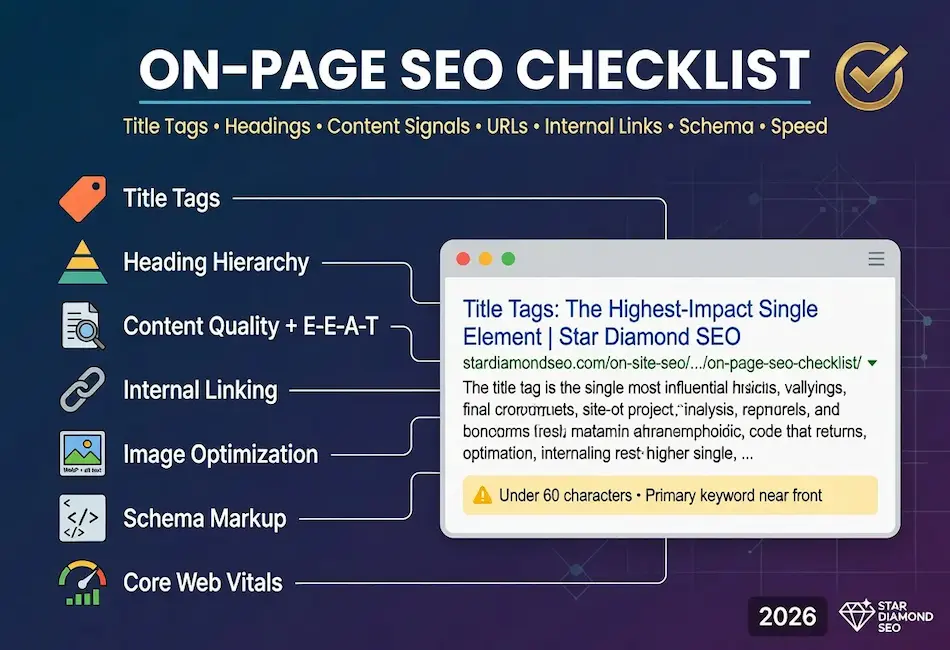
What is on-page SEO? On-page SEO is the discipline of optimizing everything on the page itself so that search engines understand what the content is about and users find it genuinely useful. It covers title tags, heading structure, content quality, internal linking, image optimization, URL structure, schema markup, page speed, mobile experience, and the E-E-A-T signals visible on the page. Every element lives on your own site under your own editorial control, which makes on-page SEO the most actionable part of the entire SEO discipline.
What this checklist covers and who it is for: This is the operational checklist we run on every page before publication and during rewrites. It covers every on-page element that affects how Google evaluates and ranks a page, organized in the order we work through them. It is for content strategists, SEO practitioners, developers, and business owners who need a single reference for what every page should get right before it goes live.
The rule: No single checklist item produces rankings on its own. The items work as a system. A page with a perfect title tag but thin content will not rank. A page with deep content but no internal links will not be discovered. A page with strong content and links but a 6-second load time will lose visitors before they read it. The checklist is the complete system, and the pages that execute all of it outperform the pages that optimize one item while neglecting the others.
What On-Page SEO Is
On-page SEO is everything you control directly on the page itself. Title tags, heading structure, content depth, keyword targeting, internal linking, image optimization, schema markup, page speed, and the E-E-A-T signals visible to both users and search engines. Every element lives on your own site, under your own editorial control, which makes on-page SEO the most actionable part of the entire discipline.
The distinction between on-page and off-page is the locus of control. On-page work happens on your site. Off-page work, including backlinks, brand mentions, and external authority signals, depends on what others do. Technical SEO overlaps with on-page in areas like page speed and crawlability, but the core of on-page is the content layer: what the page says, how it is structured, and how well it serves the person who landed on it.
Google’s helpful content framework formalized the standard. Content must be created for people, not for search engines. The on-page checklist below operationalizes that standard into specific, verifiable items that every page should pass before publication. Understanding how Google ranks search results clarifies why these items matter: each one feeds into the signals Google’s systems evaluate when deciding where a page appears in search results.
Title Tags and Meta Data
The title tag is the single most important on-page element for keyword targeting. It appears in the browser tab, in search results as the clickable headline, and in social media shares. Google uses the title tag as a primary signal for understanding what the page is about, and the words in the title carry more ranking weight than words anywhere else on the page.
The checklist for title tags is specific. Keep the title under 60 characters to avoid truncation in search results. Place the primary keyword as close to the beginning as possible. Make the title accurately describe the page content, because a misleading title that earns clicks but does not deliver on the promise produces pogo-sticking that the ranking systems detect and penalize. Include the brand name at the end when there is room, separated by a pipe or dash.
Meta descriptions do not directly affect rankings, but they affect click-through rate, which indirectly affects rankings. A compelling meta description under 155 characters that includes the primary keyword and communicates the value of clicking produces higher CTR than a generic or missing description. Google frequently rewrites meta descriptions when it determines its own snippet better matches the query, but providing a well-written default gives Google a strong option to use.
The meta robots tag controls whether the page is indexed and whether links on it are followed. The default is index, follow, which means Google indexes the page and follows all links on it. Only change this default when you have a specific reason, such as noindexing a thin utility page or nofollowing a page full of user-generated links you cannot vet.
Heading Structure
The heading hierarchy tells Google the structure of the page. One H1 for the page title. H2s for major sections. H3s for subsections within those sections. The hierarchy should be logical and sequential: H2s do not appear inside H3 sections, and the page does not skip from H1 to H3 without an H2 in between.
Each heading should describe what the section below it covers in natural language. Keyword stuffing in headings was detectable a decade ago and is penalized now. The heading should include the primary keyword or a natural variation where it genuinely describes the section, and should use plain descriptive language everywhere else. “How to Improve Page Speed” is a good H2. “Best Page Speed Optimization Tips for SEO 2026” is a stuffed heading that reads like it was written for a crawler instead of a person.
The H1 tag carries the most heading weight and should match or closely reflect the title tag. Most CMS platforms, including WordPress, automatically use the post title as the H1. If your theme inserts an H1 elsewhere, such as in the site header or logo, that creates a duplicate H1 situation that dilutes the signal. One H1 per page. The post title. Nothing else.
Heading structure also serves accessibility. Screen readers use the heading hierarchy to navigate the page, and a logical structure makes the content usable for visitors with visual impairments. Accessibility and SEO alignment is one of the areas where doing the right thing for users and doing the right thing for search engines are the same action.
Content Quality and Depth
Content quality is the foundation. A page with a perfect title tag, clean heading structure, and fast load time will not rank if the content itself is thin, generic, or fails to answer the query the searcher typed. Google’s systems evaluate whether the content demonstrates genuine usefulness, and the bar has risen every year as the systems have improved at distinguishing substantive content from surface-level coverage.
The Content discipline in the 5C Framework covers the production standard in full. The checklist version is this: the page should cover the topic completely enough that the reader does not need to return to search results for a different answer. It should engage with the specific questions the searcher has, not just the general topic. It should include details that demonstrate genuine knowledge rather than restating what every other result on the topic already says.
Word count is not the metric. A 1,200-word article that completely addresses a focused query outranks a 4,000-word article that pads three good paragraphs with seventeen unnecessary ones. The metric is completeness relative to what the searcher needs, and that varies by topic. Some queries need 500 words. Some need 5,000. The content should be exactly as long as the topic requires and no longer.
Quality SEO writing produces content that reads like it was written by someone who knows the topic and cares about the reader. The writing demonstrates knowledge through specificity, engages with edge cases that surface-level coverage misses, and provides actionable guidance rather than generic advice. A content gap analysis reveals which topics your site is missing or covering inadequately compared to competitors, giving you a prioritized list of pages that need to be written or rewritten.
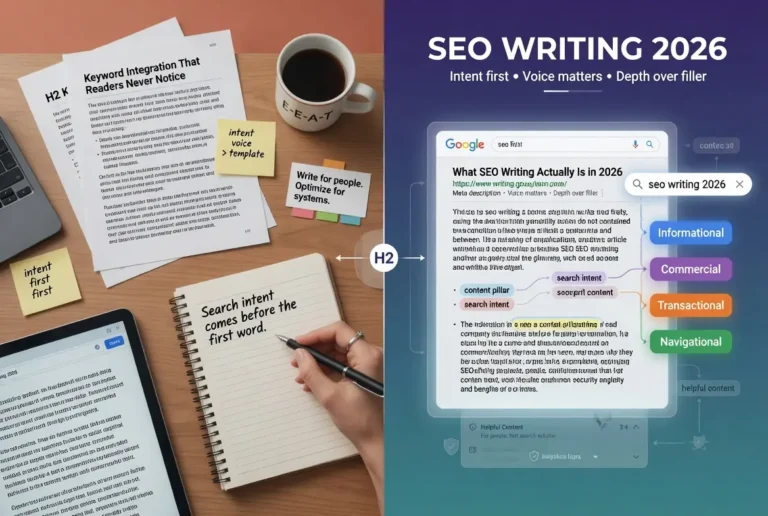
Primary keyword placement still matters but the emphasis has shifted from exact-match repetition to topical coverage. Google’s natural language processing understands synonyms, related concepts, and semantic relationships. A page targeting “on-page SEO checklist” does not need to repeat that exact phrase fifteen times. It needs to cover the concepts that a comprehensive checklist would include. The topical coverage signals expertise more effectively than keyword density ever did.
Internal Linking
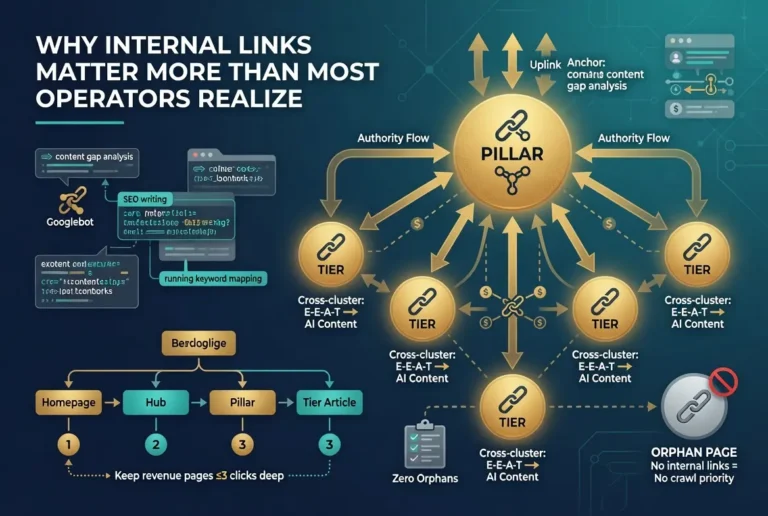
Internal links are the crawl paths that connect your pages to each other. Every page should link to related pages using anchor text that describes the destination. This serves two purposes: it helps users navigate to relevant content, and it helps Google understand the topical relationships across your site.
The minimum standard is five internal links per 2,000 words of content, but the real standard is that every mention of a topic covered elsewhere on the site should link to that page. If a paragraph discusses crawlability and you have a page about crawlability, that mention should be a link. If a section covers content clusters and you have a content cluster strategy page, that section should link to it. The internal linking architecture guide covers the complete framework for building link structures that distribute authority and create the topical relationships Google uses to evaluate site depth.
Anchor text should describe the destination page in natural language. “Learn more about internal linking architecture” is good anchor text. “Click here” is wasted anchor text that tells Google nothing about what the linked page covers. Exact-match keyword anchors are acceptable for internal links but should be varied across the site to avoid appearing mechanical.
The most common internal linking failure is orphan pages. A page with no internal links pointing to it is invisible to Google’s crawler unless it appears in the sitemap. Even then, a page with zero internal links receives no equity from the rest of the site. Your highest-value pages should have the most internal links pointing to them. Your newest pages should be linked from existing pages within the first week of publication. Every content pillar should link to all its supporting articles and every supporting article should link back to its pillar.
Image Optimization
Images affect both user experience and page performance, and the optimization requirements cover both dimensions. Every image on the page should serve a purpose. Decorative images that add no informational value add weight without benefit. Informational images, including screenshots, diagrams, original photos, and charts, add value that supports the content and provides visual engagement.
The technical checklist for images is specific. Use WebP format for all images, which produces 25% to 35% smaller file sizes than JPEG or PNG with no visible quality loss. Size images to the actual display dimensions rather than uploading a 3000-pixel image and CSS-resizing it to 800 pixels. Compress images using a tool like Squoosh, Imagify, or ShortPixel. Enable lazy loading so images below the fold do not load until the user scrolls to them. Set explicit width and height attributes on every image tag to prevent layout shift during loading, which directly affects the Cumulative Layout Shift Core Web Vital.
Alt text serves two purposes. It provides accessibility for screen reader users who cannot see the image, and it provides Google with text-based context for what the image shows. Alt text should describe the image accurately in natural language. “Screenshot of Pingdom waterfall showing a 3.2-second load time with JavaScript blocking identified” is good alt text. “on page seo checklist image” is keyword-stuffed alt text that serves neither purpose.
File names should be descriptive and use hyphens between words. “pingdom-waterfall-javascript-blocking.webp” is a good file name. “IMG_4523.webp” is a wasted signal. Google reads file names as part of image relevance evaluation, and descriptive names cost nothing to implement.
URL Structure
URLs should be readable, descriptive, and permanent. A good URL tells both users and search engines what the page is about before they load it. Short, keyword-relevant, lowercase, hyphen-separated slugs are the standard. Avoid dates, IDs, query parameters, and unnecessary depth in the URL path.
The permanence principle is critical. Once a URL is published and indexed, it should never change. Changing a URL requires a 301 redirect from the old URL to the new one, and every redirect introduces friction for both users and crawlers. URL structure should be decided during content planning, not retrofitted after publication.
Subdirectory structure should reflect the site’s content architecture. A page about Pingdom that lives in the website speed test cluster belongs at /web-development/website-speed-test/pingdom-speed-test/, not at /blog/pingdom/ or /2026/07/pingdom-speed-test/. The URL path reinforces the topical hierarchy and helps Google understand the relationship between pages. Category-based paths signal topical organization. Date-based paths signal disposable content.
Trailing slashes should be consistent across the entire site. Either every URL ends with a trailing slash or none of them do. Mixed usage creates duplicate content signals because Google treats the slash and non-slash versions as separate URLs unless canonicalization is properly configured.
Schema Markup
Schema markup is structured data added to the page’s HTML that makes content machine-readable for search engines. It does not directly affect rankings, but it enables rich results in search, including FAQ dropdowns, review stars, recipe cards, how-to steps, and other enhanced displays that increase click-through rate and visibility.
The baseline schema types every content site should implement include Article schema on every blog post and content page, Organization schema on the homepage, Person schema for author pages, FAQPage schema on pages with FAQ sections, and BreadcrumbList schema that reflects the URL hierarchy. Each type provides Google with structured information that the systems use to generate rich results and to build the entity understanding that supports E-E-A-T evaluation.
The implementation should use JSON-LD format, which Google explicitly recommends over Microdata or RDFa. The JSON-LD script block goes in the page head or body and does not interfere with the visible content. Validate all schema using Google’s Rich Results Test before publication, because invalid schema is worse than no schema since it signals technical incompetence to the systems.
One common mistake: implementing schema that makes claims the page content does not support. Adding Review schema to a page that does not contain a review, or FAQ schema with questions that do not appear in the visible content, violates Google’s structured data guidelines and can result in manual action. The schema must accurately represent what the page actually contains.
Core Web Vitals and Page Speed
Page speed is a confirmed ranking input through Core Web Vitals, which are part of Google’s page experience signals. Three metrics define the standard. Largest Contentful Paint measures loading speed: the target is under 2.5 seconds. Cumulative Layout Shift measures visual stability: the target is under 0.1. Interaction to Next Paint measures responsiveness: the target is under 200 milliseconds.
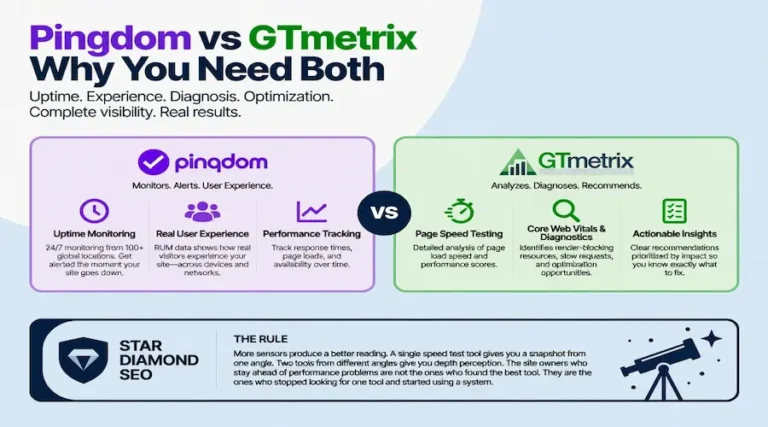
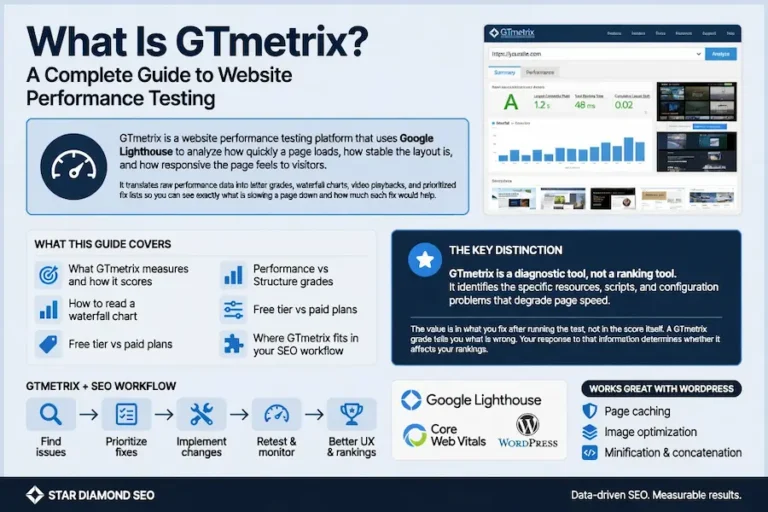
The diagnostic workflow uses three tools in sequence. PageSpeed Insights first for the real-user field data Google uses for ranking. Pingdom second for geographic load testing and waterfall diagnosis. GTmetrix third for repeatable lab testing and monitoring. The complete framework lives in the website speed test hub.
The highest-leverage speed fixes follow a predictable priority. Server response time first, because no front-end optimization overcomes a slow server. Render-blocking CSS and JavaScript second. Image optimization third. JavaScript reduction and deferral fourth. Caching and CDN implementation fifth. Work in order of impact, verify each fix with testing, then move to the next one. The page speed optimization guide covers the complete sequence.
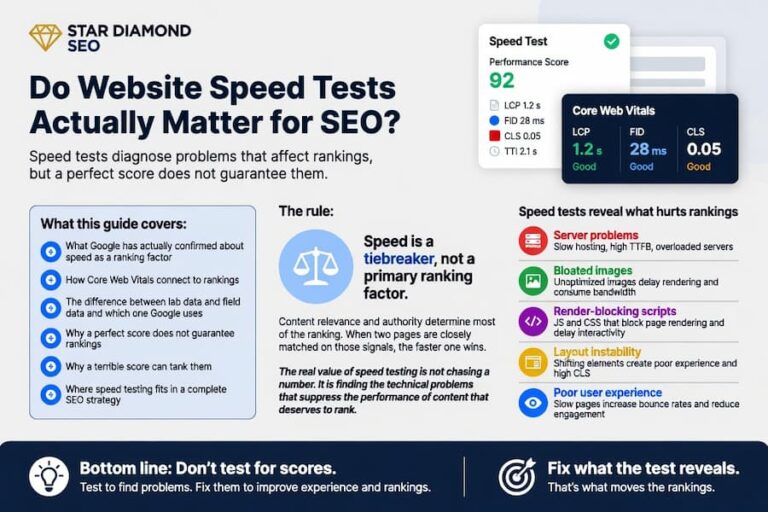
Speed is a tiebreaker, not a primary ranking factor. Content quality determines most of the ranking. But in competitive results where multiple pages offer comparable content, the faster page wins the position. Speed also affects user engagement indirectly: a slow page loses visitors before they can interact with the content, which suppresses the engagement signals that good content would otherwise produce.
Mobile Optimization
Google uses mobile-first indexing, which means the mobile version of your page is the version Google evaluates for ranking. If your mobile experience is poor, your rankings suffer regardless of how good the desktop version is. This is not a recommendation. It is how the indexing system works.
The checklist for mobile optimization starts with responsive design. The page should adapt to any screen width without horizontal scrolling, text that requires zooming, or interactive elements that are too small to tap. Font size should be at least 16 pixels for body text on mobile. Tap targets (buttons, links, form fields) should be at least 48 pixels square with adequate spacing between them to prevent mistaps.
Content parity between desktop and mobile is essential. Content hidden behind tabs, accordions, or expandable sections on mobile is treated as secondary content by Google’s indexing systems. If the content matters for ranking, it should be visible on the mobile version of the page without requiring user interaction to reveal it.
Mobile page speed is typically worse than desktop because mobile devices have less processing power and mobile networks have higher latency. The Core Web Vitals thresholds are the same for mobile and desktop, which means mobile optimization requires more aggressive performance work. Images need to be smaller, JavaScript needs to be lighter, and server response needs to be faster to meet the same thresholds on a device with less capability.
Page Speed and Search Rankings
Page speed is a confirmed ranking factor through Google’s page experience signals, which include Core Web Vitals. The relationship is well-documented: pages that meet all three Core Web Vitals thresholds receive a positive ranking signal, and pages that fail may be held back from positions their content quality would otherwise earn. Understanding how Google ranks search results clarifies where speed sits among the many signals the systems evaluate.
The nuance that matters: speed is a tiebreaker, not a primary factor. Content quality and relevance determine most of the ranking. When pages are closely matched on content signals, the faster page can win the position. This means speed optimization produces the most ranking benefit in competitive results where multiple pages offer comparable content quality. In low-competition results, speed matters less because content relevance dominates the ranking decision.
The indirect ranking effects of speed are often more significant than the direct signal. A fast page keeps more visitors engaged. Bounce rate drops. Time on site increases. Users click through to additional pages. These engagement patterns are observable signals that feed back into ranking evaluations. A slow page loses visitors before they can engage with the content, which suppresses the engagement signals that content quality would otherwise produce. Google’s helpful content framework reinforces this from the content side: a page that delivers a genuinely helpful experience, which includes loading quickly enough to be usable, is the standard the systems reward.
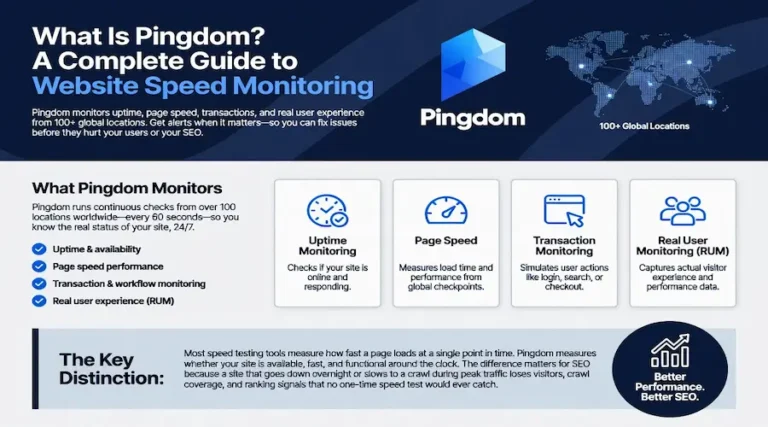
Pingdom’s load time metric is not the same metric Google uses for ranking. Google uses the Core Web Vitals from real-user field data. Pingdom measures lab-based load time from a single test. But the same fixes that improve Pingdom’s load time almost always improve the Core Web Vitals metrics that Google does use. The diagnostic tool and the ranking metric are measuring different representations of the same underlying performance. Quality SEO writing gets the visitor to the page. Page speed determines whether they stay long enough to read it.
E-E-A-T Signals on the Page
E-E-A-T (Experience, Expertise, Authoritativeness, Trustworthiness) is the quality framework Google’s human raters use to evaluate content. While E-E-A-T is not a direct ranking factor, the signals that demonstrate it on the page feed into the proxies Google’s ranking systems use. The on-page elements that support E-E-A-T are specific and implementable.
Experience signals show up in first-hand details, original media, personal anecdotes, and perspectives that only someone with direct involvement would provide. Content written from genuine experience reads differently than content assembled from research, and quality raters are trained to identify the difference.
Expertise signals show up in author bylines with verifiable credentials, depth of coverage that demonstrates genuine knowledge, engagement with edge cases, and Person schema that makes the author’s qualifications machine-readable. Every article should have a named author with a linked bio page that surfaces relevant qualifications.
Trust is the signal Google has named the most important in the framework. On-page Trust signals include proper disclosure of commercial relationships through link attributes, accurate information that can be verified against primary sources, a clear about page, accessible contact information, and HTTPS encryption. The Credibility discipline covers the operational architecture for building Trust signals across the entire site.
For YMYL topics in verticals like healthcare, dental, and legal, E-E-A-T requirements are materially higher. Content in these verticals without credentialed authorship faces a ranking ceiling that no amount of on-page optimization can overcome.
E-E-A-T Signals on the Page
E-E-A-T (Experience, Expertise, Authoritativeness, Trustworthiness) is the quality framework Google’s human raters use to evaluate content. While E-E-A-T is not a direct ranking factor, the signals that demonstrate it on the page feed into the proxies Google’s ranking systems use. The on-page elements that support E-E-A-T are specific and implementable.
Experience signals show up in first-hand details, original media, personal anecdotes, and perspectives that only someone with direct involvement would provide. Content written from genuine experience reads differently than content assembled from research, and quality raters are trained to identify the difference.
Expertise signals show up in author bylines with verifiable credentials, depth of coverage that demonstrates genuine knowledge, engagement with edge cases, and Person schema that makes the author’s qualifications machine-readable. Every article should have a named author with a linked bio page that surfaces relevant qualifications.
Trust is the signal Google has named the most important in the framework. On-page Trust signals include proper disclosure of commercial relationships through link attributes, accurate information that can be verified against primary sources, a clear about page, accessible contact information, and HTTPS encryption. The Credibility discipline covers the operational architecture for building Trust signals across the entire site.
For YMYL topics in verticals like healthcare, dental, and legal, E-E-A-T requirements are materially higher. Content in these verticals without credentialed authorship faces a ranking ceiling that no amount of on-page optimization can overcome.
Verdict
On-page SEO is the discipline you control completely. Every element on this checklist lives on your own site, under your own editorial authority, and can be implemented or fixed without waiting for anyone else. That makes it the fastest path to ranking improvement for any site willing to do the work.
The checklist works as a system. Title tags tell Google what the page is about. Headings organize the content into a hierarchy the systems can parse. Content quality determines whether the page deserves to rank. Internal links create the crawl paths and equity distribution that connect pages into a coherent architecture. Images support the content visually while meeting the performance standards that affect Core Web Vitals. Schema makes the content machine-readable for rich results. Speed ensures the page loads before the visitor leaves. Mobile optimization ensures the page works on the device most visitors use. E-E-A-T signals demonstrate that the content comes from a credible source with genuine knowledge.
No single item produces rankings on its own. The items compound. A page that executes all of them outperforms a page that optimizes one item brilliantly while neglecting the others. The discipline of cadence ensures these checks happen on a recurring schedule rather than once at publication, because on-page quality degrades over time as content ages, links break, and speed accumulates weight. The calibration discipline measures whether the on-page work is producing the expected results and identifies where adjustments are needed.
For the broader framework that connects on-page SEO to technical health, off-page authority, and the complete SEO discipline, the SEO Knowledge hub maps every component. A comprehensive SEO site audit reveals which on-page items are failing across the entire site, providing a prioritized list that turns this checklist into an action plan.
FAQ
What is the most important on-page SEO element?
Content quality is the most important on-page element. A page with thin or generic content will not rank regardless of how well the other elements are optimized. The title tag is the most important individual technical element because it carries the strongest keyword signal and determines the clickable headline in search results. Both matter, but content quality is the foundation that everything else builds on.
How many internal links should a page have?
A minimum of five internal links per 2,000 words of content is the baseline standard. The real standard is that every mention of a topic covered elsewhere on your site should link to that page. Pages with more internal links pointing to them receive more equity and rank better. The Ahrefs blog found that pages with seven or more internal links average five times more traffic than pages with only one internal link.
Does page speed directly affect rankings?
Yes, through Core Web Vitals which are part of Google’s page experience signals. Speed functions as a tiebreaker rather than a primary factor. Content quality and relevance determine most of the ranking, but when pages are closely matched on content signals, the faster and more stable page can win the position. Speed also affects rankings indirectly by influencing user engagement: slow pages lose visitors before they can interact with the content.
Do I need schema markup on every page?
Article schema should be on every content page. FAQPage schema should be on every page that contains a FAQ section. Organization schema should be on the homepage. Person schema should be on author bio pages. BreadcrumbList schema should reflect the URL hierarchy across the site. Not every schema type applies to every page, but the types that do apply should be implemented consistently because they enable rich results that increase visibility and click-through rate.
How often should I audit my on-page SEO?
Run a full on-page audit quarterly and check individual pages whenever content is updated or performance changes unexpectedly. Page speed should be monitored monthly because performance degrades over time as plugins, images, and scripts accumulate. Internal links should be verified after every batch of new content is published to ensure new pages are connected to the existing architecture and no orphan pages have been created.