Orphan Pages in SEO: How to Find and Fix Pages Google Can’t See
AI Summary
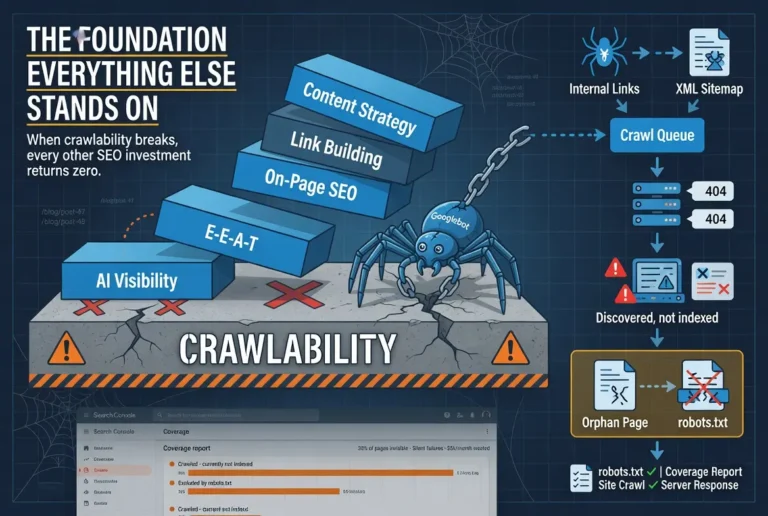
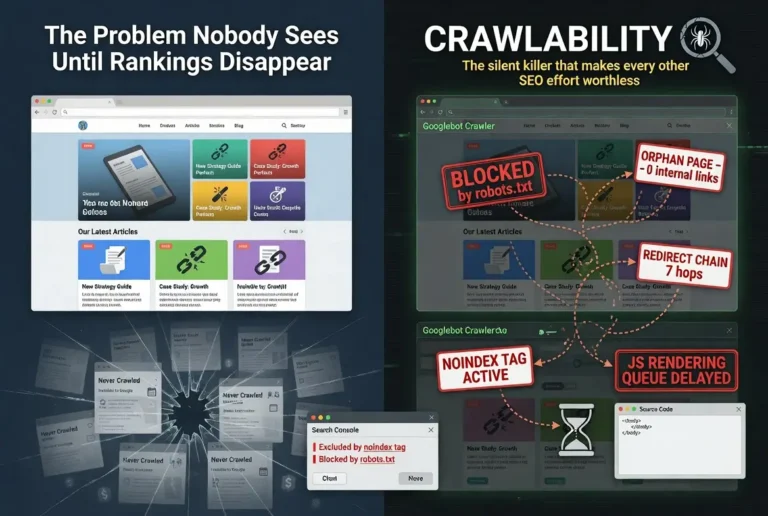
What are orphan pages? An orphan page is a published page on your website that has zero inbound internal links. No other page on your site links to it. Googlebot discovers pages by following links, so a page with no inbound links is a page the crawler cannot find through normal crawling. The page exists on the server. It may appear in search results if it was submitted through a sitemap or Search Console. But it receives no authority from the rest of the site and no crawl pathway that would keep it consistently indexed.
What it is and who it is for: This article is for site owners and SEO practitioners who have published content that is not performing in search and cannot figure out why. Orphan pages are one of the most common and least diagnosed causes of content underperformance. If you have articles that should rank but do not, and the content quality and backlink profile seem adequate, the page may be orphaned.
The rule: Every page on your site that you want Google to find, crawl, and rank must have at least one inbound internal link from another page on the site. A page with zero inbound internal links is invisible to the crawler, disconnected from the site’s authority flow, and competing with a structural handicap that no amount of content quality or backlink investment can overcome.
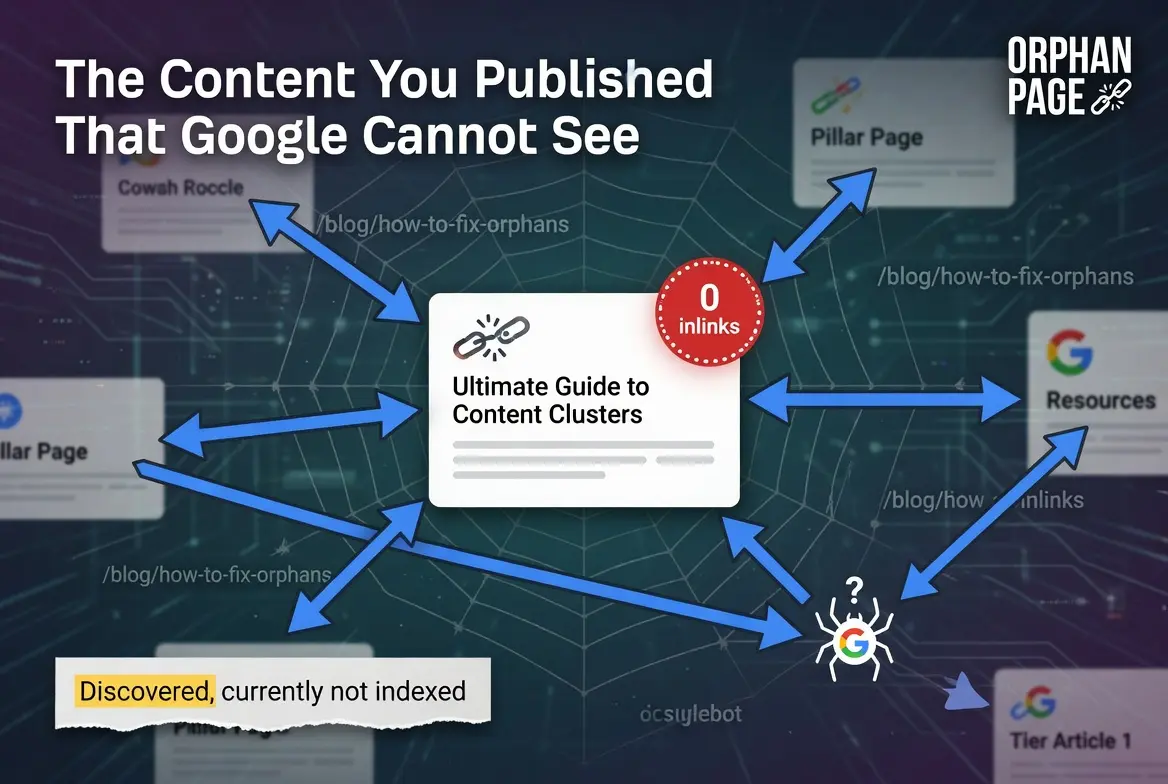
The Content You Published That Google Cannot See
You wrote the article. You optimized the headings. You added schema markup and internal links to other pages. You published it, submitted it to Search Console, and waited for it to rank. Weeks pass. The page sits in “Discovered, currently not indexed” or barely accumulates any impressions. The content is good. The keyword difficulty is achievable. The backlink profile is reasonable for the competition level. Nothing about the page explains the underperformance.
Then you run a crawl audit and discover the page has zero inbound internal links. No other page on your site links to it. The article links out to other pages, but nothing links in. The page is an orphan. It exists on the server. It may even appear in the sitemap. But from the crawler’s perspective, there is no pathway to reach it. Googlebot discovers pages by following links from page to page. A page with no inbound links is a dead end that the crawler never reaches through normal crawling.
Orphan pages are one of the most common causes of unexplained content underperformance, and they are almost always accidental. Nobody creates an orphan page on purpose. They are created by gaps in the publishing process, site restructuring that breaks link pathways, and content management workflows that do not include internal link verification as a step.
How Orphan Pages Get Created
Orphan pages are not bugs in your CMS. They are consequences of how sites grow and change over time. Understanding the creation patterns prevents future orphans and helps you find existing ones.
Publishing Without Linking
The most common creation pattern. A new article gets written, optimized, and published. The writer adds outbound internal links from the new article to existing pages. But nobody adds inbound internal links from existing pages to the new article. The new article links to the cluster. The cluster does not link back. The page is orphaned from the moment it is published.
This happens most frequently on sites that do not use a pillar and cluster architecture. In a properly built cluster, the pillar page links to every tier article and every tier article links to the pillar. Orphans are structurally impossible within a complete cluster because the architecture requires bidirectional linking. On sites that publish blog posts without a cluster framework, every new article is at risk of being orphaned unless the publishing workflow explicitly includes adding inbound links from related existing content.
URL Slug Changes
A site owner changes the URL slug of a published page. WordPress creates the new URL and the old URL returns a 404 unless a redirect is set up. Even if a redirect is created, the internal links across the site still point to the old URL. The new URL has zero direct inbound links. It receives redirect-filtered authority through the old URL’s links, but no direct internal link pathway. The page is functionally orphaned until every internal link pointing to the old slug is updated to point to the new one.
Site Restructuring
A site undergoes a category restructure, a URL hierarchy change, or a navigation redesign. Pages that were previously linked from category pages, navigation menus, or sidebar widgets lose those links when the structure changes. If the restructuring process does not include an audit of which pages lost their inbound links, orphans are created silently across the site.
Pagination Burial
On sites with chronological blog indexes, older articles get pushed deeper into pagination as new articles are published. Eventually, the oldest articles are reachable only through page 15, 20, or 30 of the blog index. Googlebot may not crawl through that many pagination pages, making the older articles functionally orphaned even though they technically have an inbound link from a deep pagination page that the crawler rarely visits.
Deleted Navigation Elements
A page linked from the main navigation, footer, or sidebar gets removed from those elements during a design update. If the page had no other inbound internal links, removing it from the navigation orphans it completely. The page is still published. The URL still works. But nothing on the site connects to it.
Why Orphan Pages Damage SEO
Orphan pages create three distinct problems that compound into significant ranking underperformance.
Crawl Discovery Failure
Googlebot finds pages by following links. An orphan page with no inbound links has no link pathway for the crawler to follow. The page can still be discovered through the sitemap or manual Search Console submission, but these are secondary discovery mechanisms. The primary mechanism, link-based crawling, is completely absent. Pages discovered only through sitemaps are crawled less frequently and with lower priority than pages discovered through internal links.
Authority Isolation
Internal links distribute authority across the site. When the homepage earns a backlink, a portion of that authority flows through internal links to the pages the homepage connects to. Those pages pass authority further through their own internal links. The authority circulates through the site’s link architecture, strengthening every connected page. An orphan page is disconnected from this circulation. It receives zero internal authority regardless of how much authority the rest of the site accumulates. The page competes for rankings with only its own directly earned backlinks, while competing pages on other sites benefit from their entire domain’s authority flow.
Topical Authority Fragmentation
Google evaluates topical authority at the site level by analyzing how comprehensively a site covers a topic through interconnected content. A content cluster with a pillar and five tier articles, all interlinked, demonstrates deep topical coverage. If one of those tier articles is orphaned, the cluster has a gap. The pillar links to four articles instead of five. The topical coverage signal is weaker. The orphaned article does not contribute to the cluster’s authority, and the cluster does not contribute to the orphaned article’s authority. Both lose.
How to Find Orphan Pages
Finding orphan pages requires comparing two lists: every URL that exists on your site, and every URL that has at least one inbound internal link. The URLs that appear on the first list but not the second are your orphans.
Ahrefs Site Audit
Run a site audit in Ahrefs and navigate to the “Links” section. Filter for pages with zero inbound internal links. Ahrefs crawls your site the same way Googlebot does, following links from page to page. Any page it cannot reach through links but can find through your sitemap will be flagged as an orphan. This is the fastest method for sites already using Ahrefs.
Screaming Frog
Crawl your site with Screaming Frog and sort by “Inlinks” count. Pages with zero inlinks are orphans. For a complete picture, upload your sitemap URLs into Screaming Frog and compare them against the crawl results. URLs in the sitemap that were not found during the link-based crawl are orphans that exist on the server but have no link pathway.
Google Search Console
Search Console does not directly report orphan pages, but it provides indirect signals. Pages showing “Discovered, currently not indexed” for extended periods may be orphans that Google found through the sitemap but has not prioritized for crawling because no internal links point to them. Cross-reference these URLs against your internal linking architecture to determine whether they are orphaned.
Manual Audit
For smaller sites with fewer than 50 pages, a manual audit works. Open each page and search your site for links pointing to that page’s URL. Any page with zero results is an orphan. This method does not scale, but for small sites it catches orphans without requiring any tools.
How to Fix Orphan Pages
The fix for an orphan page is adding at least one inbound internal link from a relevant, well-connected page on the site. The fix takes two minutes per orphan. The hard part is not the fix. It is deciding where the link should come from.
Connect to the Cluster
If the orphan page belongs to a content cluster, the fix is connecting it to the cluster architecture. Add a link from the pillar page to the orphan. Add a link from the orphan to the pillar. Add cross-links to and from sibling tier articles where the topics overlap. The page goes from isolated to fully integrated in one editing session.
Link from the Most Relevant Existing Page
If the orphan page does not belong to a cluster, identify the most topically relevant page on the site and add a contextual link. The link should be embedded in a paragraph where mentioning the orphan’s topic is natural, not forced into a sidebar or footer where it carries less contextual weight. The anchor text should describe what the orphan page covers, reinforcing the topical signal for both the linking page and the orphan.
Add to Navigation or Resource Pages
For pages that serve a navigational or reference function, adding them to the site’s navigation menu, footer links, or a dedicated resources page provides persistent inbound links that survive content updates and restructuring. This approach works for cornerstone content, service pages, and any page that should be permanently accessible from the site’s main structure.
Prevent Future Orphans
The best fix is prevention. Add an internal link verification step to your publishing workflow. Before any new article goes live, verify that at least one existing page links to it. The publishing checklist should include: pillar page updated with a downlink to the new article, at least one sibling tier article cross-linked, and the new article’s URL verified in the sitemap. This takes three minutes per article and eliminates orphan creation entirely.
Orphan Pages vs. Thin Content
Orphan pages and thin content pages both underperform in search, but for different reasons. The distinction matters because the fix for each is different, and misdiagnosing one as the other wastes effort on the wrong intervention.
An orphan page has a structural problem. The content may be excellent. The page may deserve to rank. But the lack of inbound internal links prevents the crawler from finding it consistently and cuts it off from the site’s authority flow. The fix is structural: add internal links.
A thin content page has a quality problem. The page may be perfectly linked within the site architecture. Googlebot may crawl it regularly. But the content does not meet Google’s quality threshold for competitive indexing. The fix is editorial: improve the content.
A page can be both orphaned and thin, in which case both problems need to be addressed. But fixing the structural problem first is usually the right sequence because you cannot evaluate whether the content quality is sufficient until the page is receiving the crawl attention and authority flow that proper internal linking provides. Fix the structure. Then evaluate the content. Then fix the content if needed.
How Many Orphan Pages Is Too Many?
Any orphan page that was intended to rank is one too many. The threshold is not a percentage. It is whether the orphaned pages include content you invested in producing and expect to generate search visibility.
In practice, most sites have some orphan pages that are intentionally unlinked: thank-you pages, landing pages for paid campaigns, utility pages that serve a function but should not appear in search. These are not problems. They are design decisions.
The orphan pages that require action are the ones in your content inventory that you published with the intention of ranking. If your site has 50 blog articles and 8 of them have zero inbound internal links, 16 percent of your content investment is structurally handicapped. That is not a minor issue. It is a systematic publishing workflow failure that is silently undermining your crawlability and content performance.
Run the audit. Count the orphans. If the number is higher than you expected, the publishing process needs a structural fix, not just a one-time cleanup.
FAQ
What is an orphan page in SEO?
An orphan page is a published page on a website that has zero inbound internal links from other pages on the same site. No other page links to it, which means search engine crawlers have no link pathway to discover it through normal crawling. The page exists on the server but is structurally disconnected from the rest of the site.
Are orphan pages bad for SEO?
Yes. Orphan pages cannot be discovered by crawlers through normal link-based crawling, receive zero internal authority from the rest of the site, and do not contribute to the site’s topical authority signals. A page that should rank but has zero inbound internal links is competing with a structural handicap that content quality and backlinks alone cannot overcome.
How do I find orphan pages on my website?
Run a site audit in Ahrefs or crawl your site with Screaming Frog and filter for pages with zero inbound internal links. Compare the pages found through the link-based crawl against your sitemap URLs. Any URL in the sitemap that was not discovered through links is an orphan page. Google Search Console can also provide indirect signals through pages stuck in “Discovered, currently not indexed” status for extended periods.
How do I fix an orphan page?
Add at least one inbound internal link from a relevant, well-connected page on your site. If the orphan belongs to a content cluster, connect it to the pillar page and add cross-links to sibling tier articles. If it is a standalone page, link to it from the most topically relevant existing page using descriptive anchor text. The fix takes two minutes per orphan.
What causes orphan pages?
The most common causes are publishing new content without adding inbound links from existing pages, changing URL slugs without updating internal links, site restructuring that removes pages from navigation or category links, pagination burial on chronological blog indexes, and removing pages from navigation menus during design updates. Each pattern creates pages that exist on the server but have no link pathway connecting them to the rest of the site.
How do I prevent orphan pages from being created?
Add an internal link verification step to your publishing workflow. Before any new article goes live, verify that at least one existing page links to it with descriptive anchor text. Using a pillar and cluster content architecture prevents orphans structurally because the architecture requires bidirectional linking between every page in the cluster.